What will my veneers look like on me?
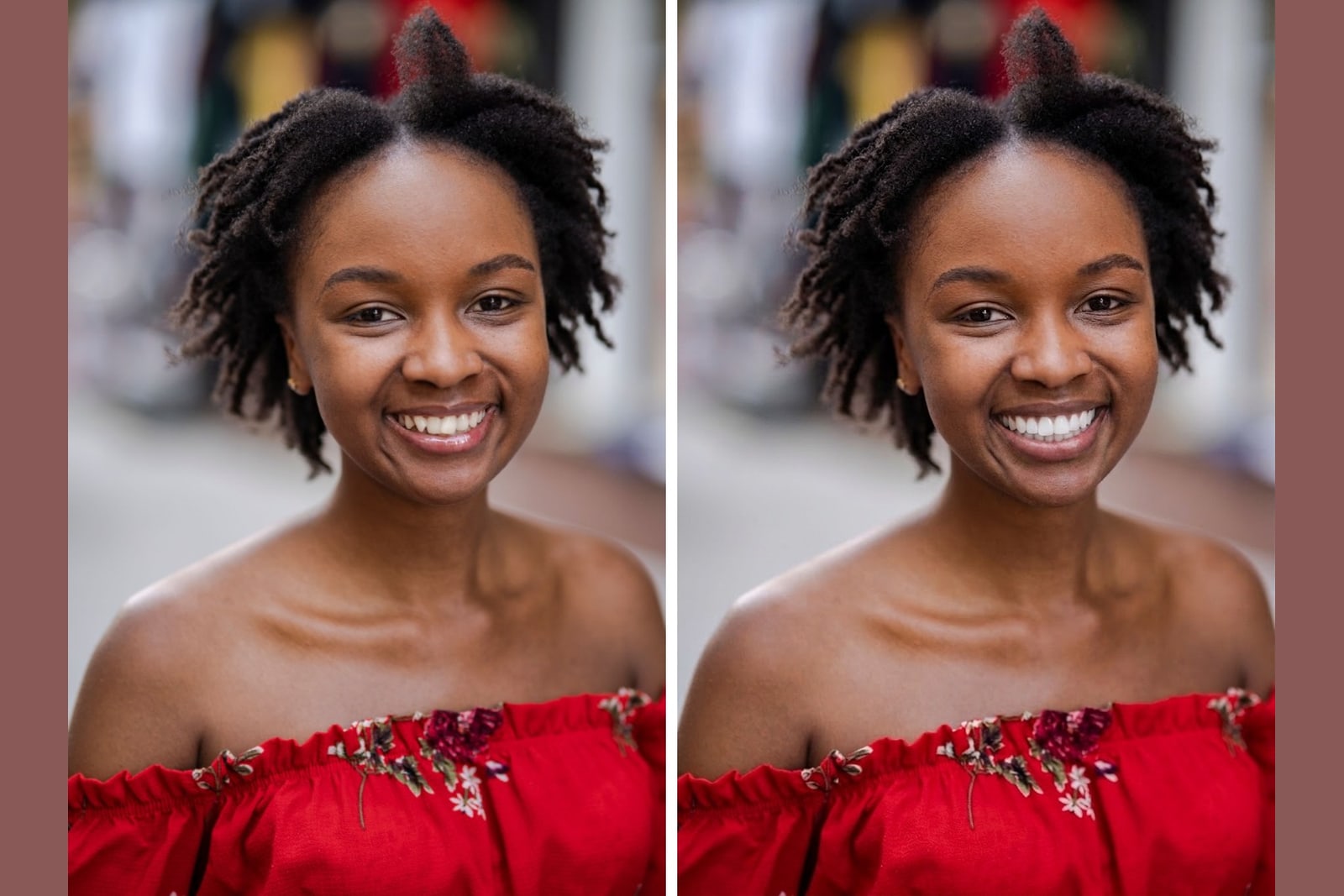
Your veneers will look different from anyone else's, because the result depends on four things: the style you pick, the shade you choose, the shape of your face, and the teeth you start with. A generic photo cannot tell you. The only honest answer comes from seeing a preview on your own smile before anything is permanent.
Key takeaways
- The look is set by style, shade, your face, and your starting teeth, so no two results match.
- Style controls shape and character. Shade controls color from Natural Ivory (A1) to Ultra White (BL1).
- A preview on your own photo beats imagining it from someone else's smile.
- Veneerly renders ten designs across five styles in about 60 seconds on your real photo.
- Only the teeth change in the preview, so you judge the result against your own face.
Veneerly is an aesthetic preview tool. It is not dental or medical advice and it is not a substitute for a consultation with a licensed dentist.
What actually decides how your veneers look?
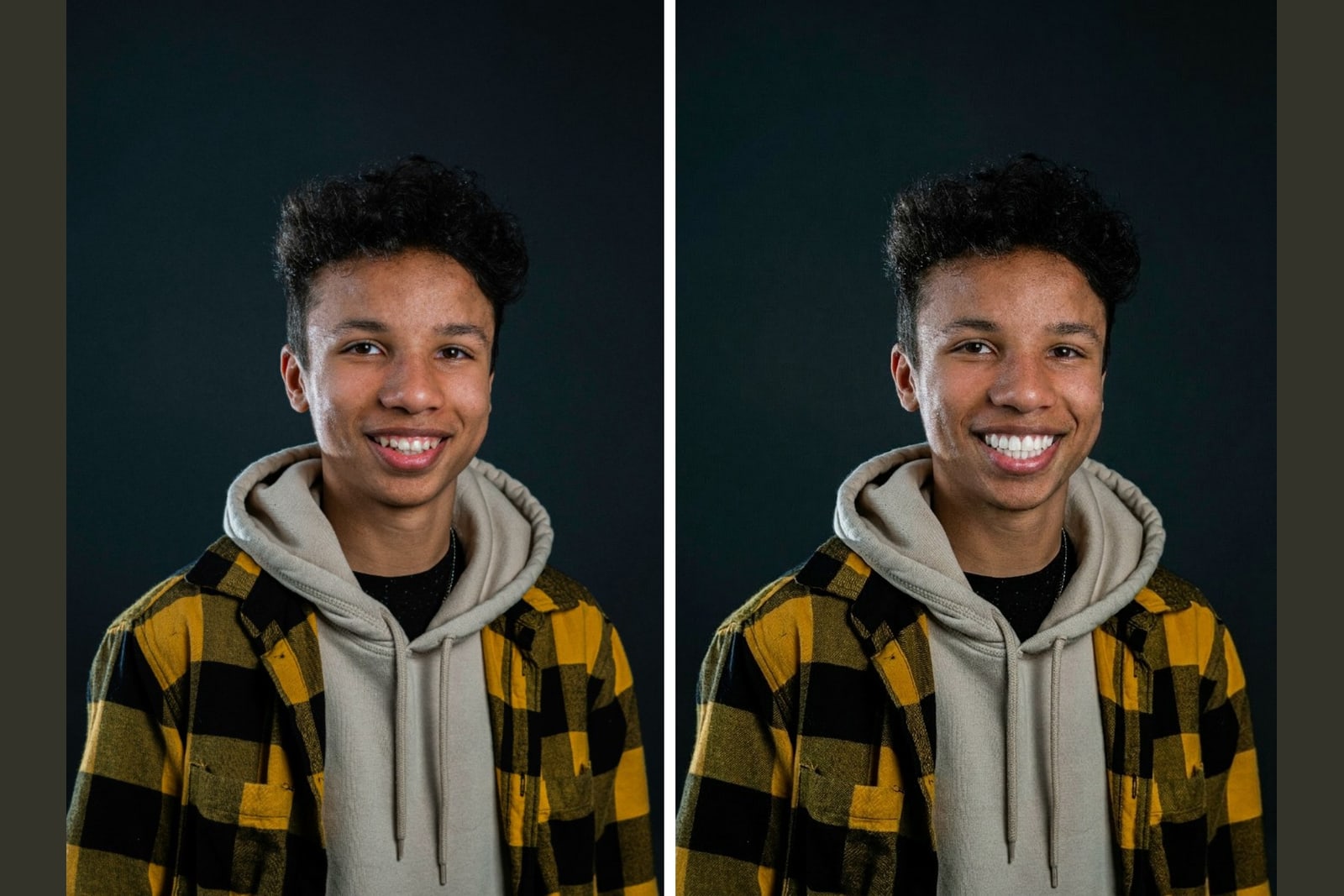
Four things decide the result, and they stack on top of each other. Change one and the whole look shifts. This is why a friend's veneers, or a stock photo, tell you almost nothing about your own outcome.
- Style is the shape and character, from soft and natural to bright and bold. See the full range in our guide to veneer styles.
- Shade is the color, from Natural Ivory (A1) to Ultra White (BL1).
- Your face sets the frame. Lip line, face shape, and skin tone all change how a smile reads.
- Your starting teeth matter, because length, gaps, and current color are the baseline the new smile builds on.
Because these combine differently for every person, the same style at the same shade looks distinct on two faces. That is the whole reason a preview on your own photo is the only reliable answer.
Why can't I just look at someone else's veneers?
Someone else's veneers show you their face, their teeth, and their choices, not yours. A bright Hollywood look on a wide smile with full lips reads differently on a narrow smile or a longer face. Their starting teeth were a different length and color, so the change they got is not the change you would get. The photo is real, but it is answering the wrong question. The question is what the look does on your smile.
How do style and shade change the result?
Style sets the shape and shade sets the color, and they work together. A natural style at a moderate shade reads as healthy teeth on a good day. A bold style at Ultra White (BL1) reads as a full transformation. Here is how the two dimensions combine.
| Style | Shade example | How it reads |
|---|---|---|
| Soft Natural | Natural Ivory (A1) | Your own shape, evened and lightly whitened. Hard to detect. |
| Natural Refinement | Warm natural white | Restored edges and fuller sides. Looks like real teeth. |
| Refined Enhancement | Bright natural white | Aligned, even, a clear lift that still looks believable. |
| Hollywood Bold | Ultra White (BL1) | Broad, symmetric, dominant straight teeth. Camera ready. |
| Ultra Bright | Ultra White (BL1) | Maximum white, perfectly uniform. The boldest look. |
Notice that the same shade can sit inside a soft style or a bold one, and the effect is not the same. That is why picking from a menu of words is guesswork, and seeing it on your face is not.
How can I see what my own veneers will look like?
Upload one front facing photo and preview the looks on your real smile. Veneerly renders ten designs across five styles in about 60 seconds, from Soft Natural to Ultra Bright, and across six shades from Natural Ivory (A1) to Ultra White (BL1). Only the teeth change in the image, so the rest of your face stays exactly as it is and you judge the result against your own features. Learn more about the AI veneer preview and how to see yourself with veneers before you commit.
What you need for an accurate preview
- A clear, front facing photo with your teeth showing in a natural smile.
- Good, even light so your current tooth color is visible.
- A steady angle, straight on rather than tilted up or down.
Will the preview match my final veneers?
The preview is an aesthetic guide, not a dental plan or a promise of a medical outcome. It shows you how a style and shade look on your face so you can compare options and decide what you like. Your dentist sets what is possible for your teeth. The value of the preview is direction: you walk into a consultation knowing which style and shade you are drawn to, instead of describing a look you have only imagined.
How much does it cost to see the result?
A Veneerly preview is a one time payment from 39 dollars. There is no subscription and no per photo fee stacking up. You upload your own photo, get ten designs across five styles in about 60 seconds, and keep the results to compare or bring to a consultation.
Frequently asked questions
What will my veneers look like on me?
The look depends on the style, the shade, your face, and your starting teeth, so it is unique to you. The reliable way to know is to preview the styles on a photo of your own smile. Veneerly renders ten designs across five styles in about 60 seconds so you can see it on your face.
Can I see veneers on my own photo before getting them?
Yes. Upload one front facing photo and Veneerly shows the looks on your real smile in about 60 seconds. Only the teeth change in the image, so you compare each style and shade against your own face, lips, and skin tone.
Will veneers look natural on me?
They can, depending on the style and shade you pick. Soft Natural keeps your own tooth shape and only evens and whitens, which is the hardest look to detect. A preview lets you see how natural or bold each option reads on your face before you decide.
How white should my veneers be?
That is set by the shade, from Natural Ivory (A1) to Ultra White (BL1). Too white means a shade that fights the rest of your face rather than fitting it. Seeing several shades on your own photo is the clearest way to find the one that suits you.
Does the preview change my whole face?
No. Only the teeth change in the preview. Your lips, skin tone, and features stay exactly as they are, so you judge the new smile against your real face rather than an edited version of it.
How much does a Veneerly preview cost?
It is a one time payment from 39 dollars, with no subscription. You upload your own photo and get ten designs across five styles in about 60 seconds to compare and keep.
See your veneers on your own smile
Upload one photo and preview ten designs across five styles in about 60 seconds, from 39 dollars.
Preview my smile